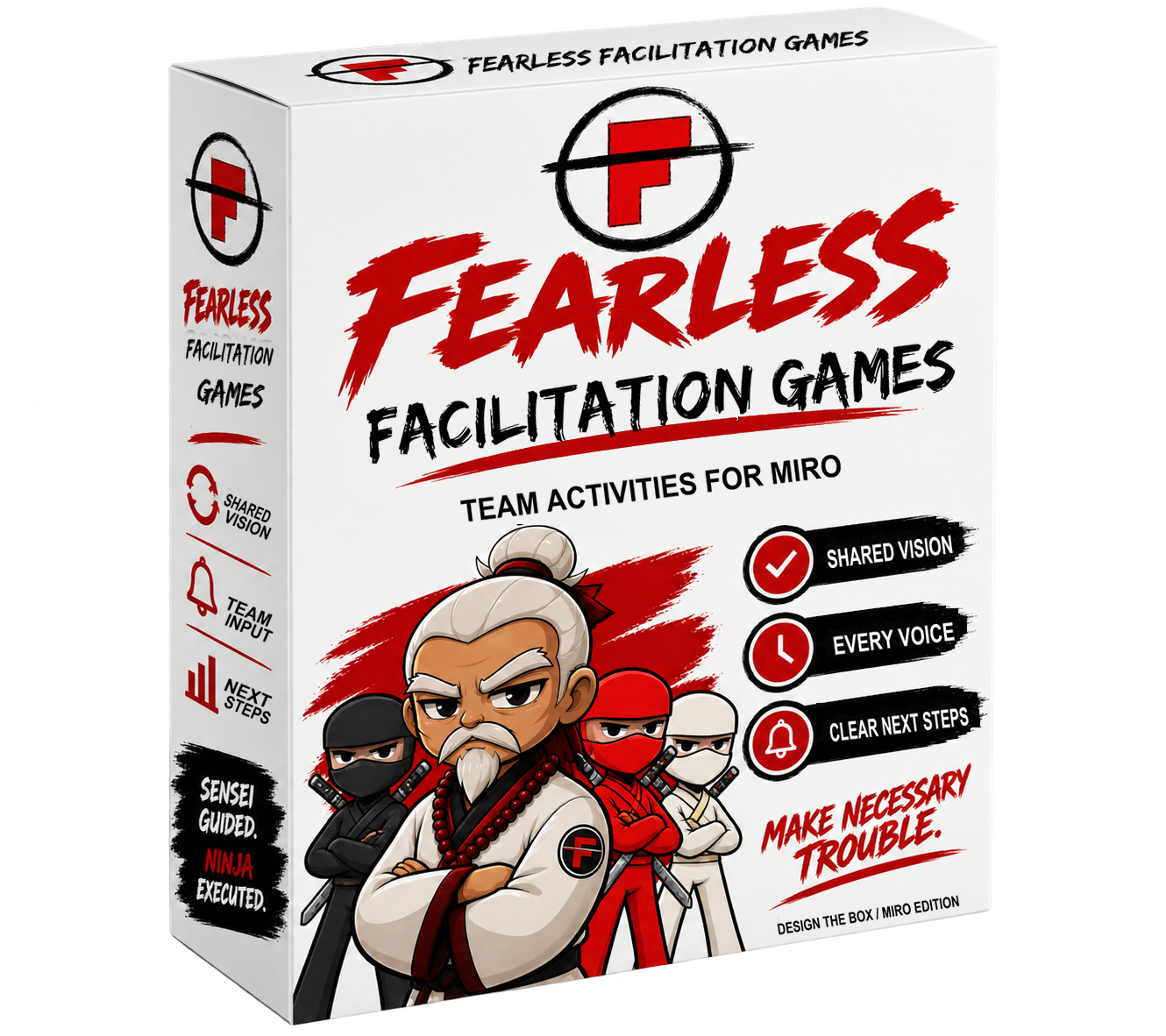
Copy the board into your own workspace before running a session.
This Miro adaptation uses flat packaging panels. Participants can focus on the idea without needing to draw a three-dimensional box.
Prepare the board
Arrange four frames from left to right. Give every team its own copy of the workspace.
Start here: Challenge, agenda, instructions, and a practice area.
Team workspaces: The same box template for each team, with space for notes.
Gallery: Finished boxes for everyone to explore.
Debrief: Common themes, disagreements, assumptions, and next steps.
Give each team three large rectangles:
Front
Product name, intended customer, one clear promise, and a simple visual.
Back
Three customer benefits, each connected to a supporting feature.
Side
What’s included, what customers need to get started, and one limitation.
Place a sticky-note area beside each template for ideas and unanswered questions. Lock the background shapes while leaving working areas editable. Check that everyone can access and edit the board.
Run the activity
5 minutes
Get comfortable
Ask everyone to add and edit a sticky note in the practice area.
Imagine your intended customer encounters this package. What would make them understand its value?
5 minutes
Think independently
Before discussing, each person adds notes: What problem does the customer want to solve? What improvement would they notice? What might make them hesitate?
10 minutes
Choose your promise
In team breakout rooms, compare notes and agree on one customer and one main promise. Move competing ideas into the parking area.
25 minutes
Build the box
Create a visual product box, not just text in panels. Use any available AI image generator for graphics. Add your graphics to the Miro box alongside text, shapes, or sketches so the finished result looks like product packaging. Keep the front readable when zoomed out. Use plain language. Label unverified claims “assumption.”
Assign a board editor, timekeeper, and presenter; everyone contributes.
15 minutes
Browse and pitch
Return to the main room. Allow three minutes of silent gallery browsing, then give each team up to three minutes to pitch its box.
Visitors leave feedback beside each box: Clear: I understand… Question: I’m unsure about… Evidence: I would need to see…
The 15-minute slot allows up to four team pitches. For more teams, extend it or use paired presentations.
10 minutes
Debrief
Which promises appeared across teams? Where did interpretations differ? Which claims need customer evidence?
Capture one shared promise and the three most important assumptions to investigate. Assign an owner and next action to each.
Adapted for Miro from Design the Box on Gamestorming, which credits the Product Box game in Luke Hohmann’s Innovation Games.
02 / Crowdsource priorities / Miro
35
Surface a group’s priorities through paired comparisons, then explore what it would take to agree.
Time
25–35 minutes
People
10 to start
Rounds
5 × 7 points
Format
Online · Miro
What you leave with: A ranked set of items, the reasons behind the strongest choices, and unresolved concerns that need discussion. This online adaptation uses five rounds; a card can earn up to 35 points.
Copy the board into your own workspace before running a session. The template starts with 10 participants and cards C01 to C10.
Choose one question
Write a single comparison question at the top of the board. Use the same lens for every pair and every round. Pick one:
Priority: Which should we address first? More points means earlier priority.
Stakeholder value: Which creates more value for the named stakeholder? More points means greater value for that stakeholder.
Risk: Which has greater exposure, considering likelihood and impact? More points means greater risk, not a safer option.
Relative size: Which appears larger in effort or complexity? More points means relatively larger. These scores are not story points or delivery forecasts.
Name the stakeholder and decision context before starting. Do not mix value, risk and size in one score. Run separate sessions if you need to compare different lenses.
Prepare the Miro workspace
Start with 10 active participants, P1 to P10, 10 item cards and five pair workspaces. An even number is required: if the group is odd, the facilitator joins as an active participant with a card and scores in every round. Do not leave someone or a card out for a round.
Give each person one card with a permanent ID, C01 to C10. Each card contains one clear item and enough context for another person to compare it. Keep a master register with one row per ID and columns R1, R2, R3, R4, R5 and Total. The item and its ID stay together throughout.
Prepare five round-assignment areas. For each round, assign every participant to one pair and every card ID to exactly one pair. Change partners and redistribute cards between rounds; aim for different card comparisons. Participants discuss the cards they receive, which may belong to someone else. Reassign the original cards or IDs; do not create extra scoring copies.
For another even group size, prepare one card per person and one workspace per pair, then regenerate all five assignments before play. Check for missing or repeated IDs in every round.
Run the pair conversations in Zoom
Before the activity
Use a host or co-host who can manage breakout rooms; confirm breakout rooms are available. For 10 active participants, create five rooms named Pair 1 to Pair 5, matching the Miro workspaces. If the host is an active participant, include them in the assignments and have them join their room.
Share the Miro board link in Zoom chat. Ask participants to keep Zoom and the board open side by side. Use the same board throughout. Match Zoom names to P1–P10, then manually assign people according to the current Miro round plan. Avoid random assignments.
Repeat for all five rounds
Open All Rooms. Join the assigned room. Discuss the two assigned card IDs, agree a seven-point split, and have one scorer enter it in the current round column.
Broadcast a short scoring reminder, then select Close All Rooms. Wait until the closing countdown finishes and everyone returns.
Audit this round’s scores in the main room. Resolve missing or duplicate entries before moving on.
After R1–R4, update the Miro round and manually move or exchange participants to match its next pair assignments. Check both people and card IDs; reopen the same named rooms with the new pairs. Do not restore old preassignments or simply reopen unchanged pairs. After R5, stay in the main room to rank and debrief.
If a partner is missing or reconnecting, pause that pair and help them rejoin. Nobody scores alone. Allow extra time for room transitions beyond the activity’s 25–35 minutes.
Everyone adds one item. Read for ambiguity and clarify wording before scoring. Keep item text fixed during the rounds; record new questions separately.
15–20 minutes total
Compare, score and rotate
Run five rounds of roughly three to four minutes each. Each pair discusses its two assigned cards using the agreed question, then agrees how to allocate exactly seven whole, nonnegative points between them: 7/0, 6/1, 5/2 or 4/3, in either direction.
Name one scorer per pair. That person records both values once in the current round’s register column. Leave earlier columns untouched. Pause before rotating: the facilitator checks that every ID appears once, each card has one score for this round, and each pair’s values sum to seven. Resolve errors before the next round.
Change partners and redistribute cards using the next assignment. Judge the current comparison on its merits; do not use earlier scores as a reason to award points.
2–3 minutes
Check and rank
After R5, add each card’s five values and rank the items from highest to lowest. A blank is missing data, not zero. Each total must be between 0 and 35. For the 10-card setup, each round must total 35 across all cards and the final totals must sum to 175. Retain ties rather than inventing a tiebreaker.
Example: C01 receives 4, 2, 7, 3 and 5. Total: 21/35. Its paired card receives the complementary score in each round.
5–7 minutes
Test for agreement
Discuss what makes the highest-ranked items compelling. Ask which lower-ranked item deserves attention and what evidence or concern could change the order. Invite objections explicitly, including from people whose items ranked lower.
A score is a conversation starter, not proof of consensus. State the proposed decision, ask whether anyone has an unresolved concern, and record the concern and next step. Assign an owner to any evidence needed before committing.